
Front matter, body, back matter.
Arrange title, copyright, dedication, table of contents, acknowledgements, series pages, and more.
05 / Book Studio
Create a separate production workspace, arrange the package, tune presentation, preview, preflight, and leave with supported files you can inspect.
A separate production path
Create a production copy from a RaQuill manuscript, Markdown, or DOCX. Production edits stay in Book Studio and do not write back to the live manuscript.
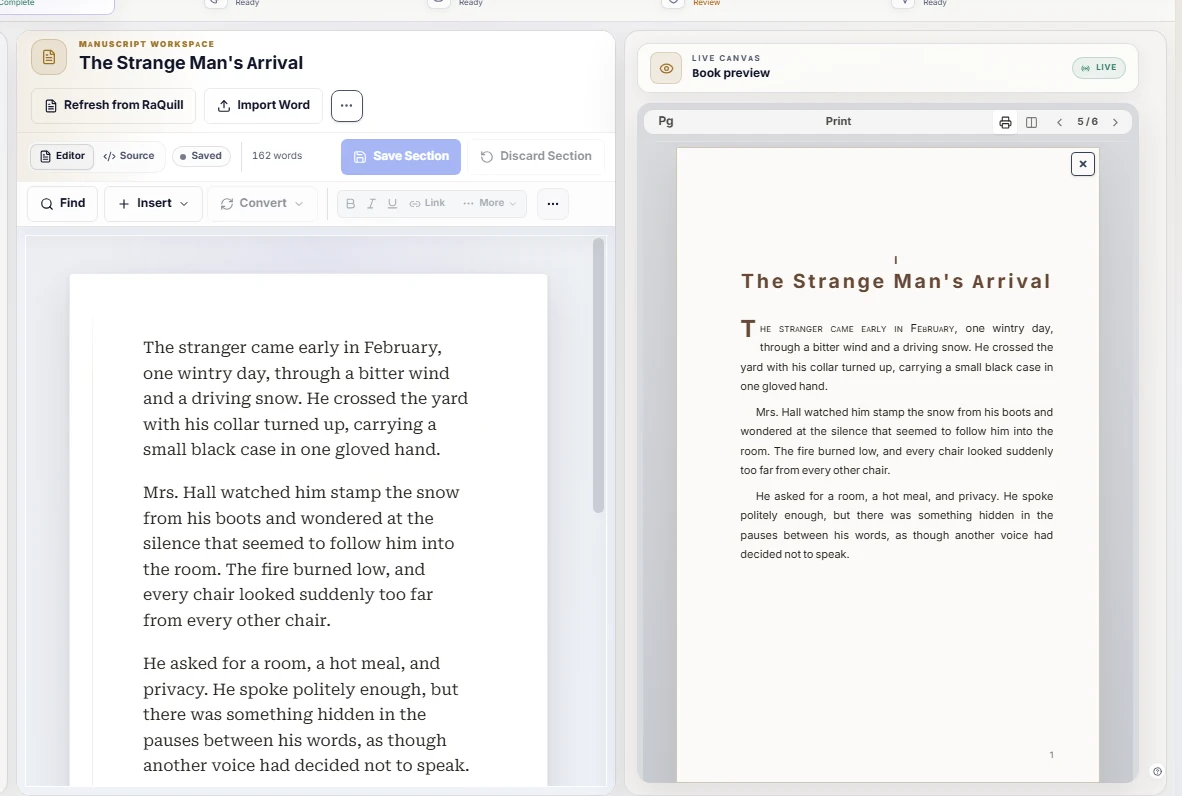
From source to inspectable files
Arrange title, copyright, dedication, table of contents, acknowledgements, series pages, and more.
Work on the edition without turning the live writing project into a layout file.
Move between ebook, reader, phone, tablet, print, and spread-style previews.
Check package, metadata, assets, links, images, and target-specific evidence.
Generate an EPUB from the production workspace, then inspect it in the tools used for final delivery.
Export a self-contained HTML reading experience for supported review workflows.
Generate a document output when another editing or delivery step needs Word-compatible material.
Review supported prose layout without claiming a PDF/X press-ready deliverable.
An honest boundary
Retailer acceptance is never guaranteed. Print/PDF output is proof-grade for supported prose, not PDF/X. Inspect every final file before delivery.
Production questions
Book Studio protects the separation between creative source and edition-making work.
No. It works from a separate production workspace. Production edits do not write back to the live manuscript.
A production workspace can be created from a RaQuill manuscript, Markdown, or DOCX.
Current supported outputs include EPUB, Reader HTML, DOCX fallback, and print/PDF proof.
No. RaQuill prepares supported files for inspection and later delivery through external publishing channels.
Finish without flattening the source